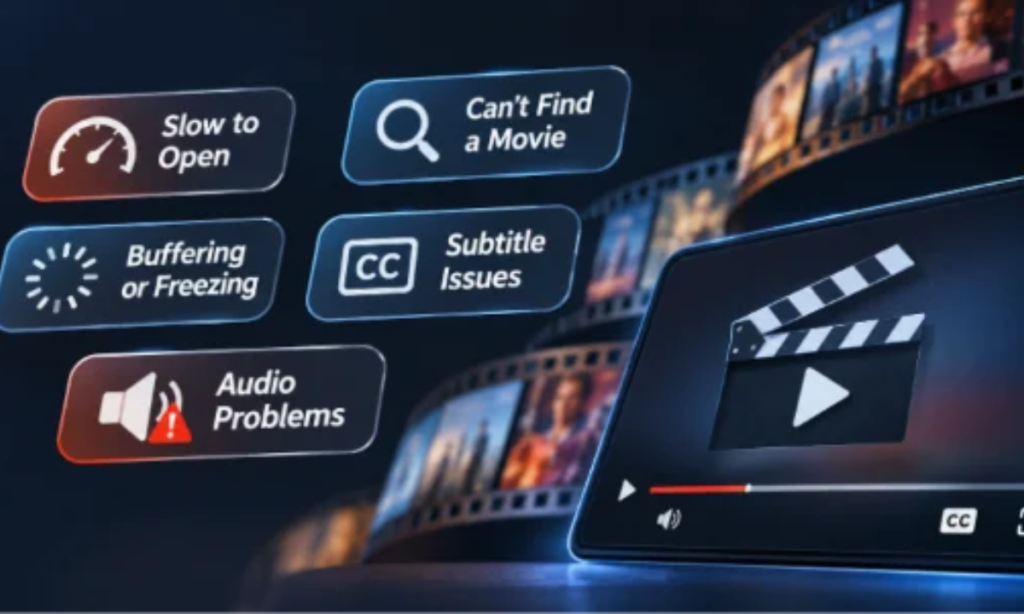

A movie night rarely falls apart because of one dramatic technical failure. More often, the frustration begins with something small. An entertainment app takes longer than expected to open. The search bar struggles to find a familiar title. A video starts playing, only to freeze just as the story becomes interesting.
Most people tolerate these inconveniences once or twice. They restart the application, check their internet connection or try another video. But when the same problems keep returning, patience gradually disappears. Eventually, opening a different app feels easier than dealing with another interruption.
For Android entertainment services, this presents a challenge that is easy to underestimate. Developers may concentrate on expanding content libraries and introducing new features, while users are quietly judging the reliability of everyday interactions. A few seconds of unnecessary waiting, an awkward navigation system or inconsistent playback can influence whether an application becomes part of a regular routine or is eventually abandoned.
Slow Starts Create a Bad First Impression
The first few seconds after opening an application establish expectations for everything that follows. When the home screen appears quickly and navigation responds immediately, users can concentrate on finding something to watch. When the application remains stuck on a loading screen, the experience begins with uncertainty.
Several technical factors can contribute to slow startup times. Applications may attempt to load large images, initialise background services or retrieve unnecessary information before displaying useful content. Older Android devices, particularly those with limited memory or slower processors, can make these delays more noticeable.
The problem becomes especially frustrating when the application behaves inconsistently. An app that opens within seconds on one occasion but takes considerably longer the next may feel unreliable, even if it eventually works.
Developers can improve the experience by prioritising essential content, postponing non-critical processes and reducing unnecessary startup operations. A lightweight initial screen that responds promptly is often more useful than an elaborate introduction that keeps users waiting.
For entertainment applications, speed matters because users generally open them with an immediate intention. They want to watch something, not wait for the software to prepare itself.
When Finding a Movie Takes Longer Than Watching One
A large entertainment catalogue is only valuable when people can navigate it comfortably. Users may know exactly what they want to watch, yet still struggle to locate it because of inconsistent search results, confusing categories or excessive navigation steps.
Consider the frustration of searching for a film discussed with friends earlier that day. The first search returns several unrelated suggestions. A different spelling produces more results, but none seems quite right. After moving through multiple categories, the correct title finally appears. The application has technically completed its task, but the experience has already become unnecessarily difficult.
An intuitive browsing experience can make entertainment discovery feel effortless rather than frustrating. For viewers interested in exploring movies and television content, castle represents another point of entry into the Android entertainment landscape, where clear navigation and accessible content information remain important considerations.
Good navigation reduces the number of decisions users must make. Clear labels, predictable menus and meaningful search results allow people to concentrate on entertainment rather than learning how an interface works.
There is also a difference between offering more options and making those options useful. Adding numerous categories can make an application appear comprehensive, but poorly organised menus may increase the effort required to find a particular title.
The most effective interfaces do not necessarily have the fewest features. They make important actions easy to recognise and complete.
Playback Problems That Break the Viewing Experience
Finding something interesting is only the beginning. Once playback starts, users expect the application to remain stable enough for them to follow the story without unnecessary interruptions.
Buffering, Freezing and Unexpected Interruptions
Buffering is one of the most familiar frustrations in digital entertainment. A video may pause repeatedly because of an unstable internet connection, insufficient available bandwidth or problems with content delivery.
However, not every interruption is caused by the network. Device performance, inefficient video decoding, memory limitations and player-related errors can also affect playback.
Most viewers have little reason to investigate the technical cause. They simply notice that the film has stopped.
This creates an important challenge for developers. Applications need to handle imperfect conditions gracefully, rather than assuming every user has a consistently fast connection and a recent smartphone.
Adaptive streaming, sensible buffering strategies and clear error messages can reduce frustration when supported by the underlying service. Equally important is helping users understand whether an interruption is temporary or requires action.
A frozen screen without explanation creates more uncertainty than a brief, informative message.
Small Audio and Subtitle Errors Matter More Than Expected
Not every playback problem involves a frozen picture. Audio that falls slightly out of sync, subtitles that appear too early or dialogue that becomes difficult to hear can make a film surprisingly exhausting to watch.
These details are particularly relevant in India’s multilingual entertainment environment. Viewers regularly encounter films and television programmes produced in Hindi, Tamil, Telugu, Malayalam and other languages. Subtitles and alternative audio tracks can play an important role in making unfamiliar-language content accessible.
A subtitle delay of even a few seconds may interfere with jokes, emotional exchanges or important plot developments. Poorly positioned captions can obscure visual details, while inconvenient audio controls interrupt the viewing experience.
For developers, these features deserve the same attention as more visible interface elements. Accurate synchronisation and straightforward language controls are not merely technical extras. They contribute directly to whether viewers can enjoy the content comfortably.
Storage Space Is Still a Problem on Android
Modern smartphones offer increasingly powerful hardware, but storage limitations remain relevant for many Android users. Photos, messaging applications, downloaded files and system updates compete for the same available space.
Entertainment applications introduce additional demands. The APK file occupies space during installation, while the installed application may require further storage for its components, cached images and temporary data. Applications that support offline downloads may consume considerably more.
Efficient storage management has become an important part of Android application design, particularly for entertainment services intended for a wide range of devices. The castle app belongs to this broader mobile entertainment category, where installation requirements, device compatibility and responsible resource management all deserve attention.
An app that gradually accumulates unnecessary cache files can become inconvenient on a device with limited free space. Users may encounter storage warnings, slower performance or difficulties installing updates.
Developers should therefore consider storage efficiency throughout the application’s lifecycle. Clear cache management, sensible temporary-file handling and accurate installation requirements can help users make informed decisions.
The challenge is not simply to produce the smallest possible APK. It is to balance application functionality with reasonable resource consumption, particularly across devices with different hardware capabilities.
The Updates That Fix One Problem and Create Another
Application updates are intended to improve performance, address security issues and introduce useful capabilities. Yet an update that looks successful from a development perspective can still frustrate existing users.
Consider a familiar navigation menu that suddenly moves to a different location. The new arrangement might be cleaner, but a long-time user must now relearn a routine that previously required little thought.
Other updates can create more serious difficulties. Changes to software dependencies may affect compatibility with older Android versions. New background processes might increase memory consumption, while redesigned settings can make previously accessible controls harder to locate.
These situations highlight a difference between technical improvement and perceived improvement.
Developers often evaluate releases according to completed features, resolved bugs and performance targets. Users judge the same updates through practical questions: Does the application still work on my phone? Can I find the controls I normally use? Has anything become slower?
Effective release management requires both perspectives. Testing across different device configurations, explaining meaningful changes and preserving familiar interactions where possible can reduce unnecessary disruption.
An update should improve the experience without making users feel that they have lost control of an application they already understood.
Why Users Rarely Report Every Problem
One of the most difficult aspects of application quality is that dissatisfied users do not always explain what went wrong.
Repeated buffering might be dismissed as a connection problem. A confusing interface may be tolerated for a while because submitting feedback feels like too much effort. Other frustrations receive no response at all; the application simply stops being opened.
This creates a gap between reported problems and actual frustration.
A development team receiving relatively few complaints might conclude that its application is performing well. Meanwhile, declining session frequency, repeated playback failures or unusually short visits could suggest a different picture.
Technical monitoring can help identify issues that users never formally report. Crash logs, startup performance, playback error rates and device-specific failures provide useful signals when collected responsibly and interpreted alongside privacy considerations.
Qualitative feedback remains valuable, too. A short comment explaining that subtitles are difficult to adjust may reveal a usability problem that performance dashboards cannot capture.
The important lesson is that silence should not automatically be interpreted as satisfaction. Users have alternatives, and leaving an application often requires less effort than explaining why it disappointed them.
Reliability Can Be More Valuable Than Another New Feature
Entertainment applications operate in a competitive environment where new features can attract attention. Personalised recommendations, redesigned interfaces and additional browsing options may all contribute to a product’s appeal.
However, adding capabilities does not compensate for unreliable fundamentals.
An application that launches promptly, responds consistently and plays content without unnecessary interruptions may deliver greater everyday value than one offering numerous advanced features but struggling with basic tasks.
This does not mean developers should stop innovating. It means improvements should be evaluated according to their effect on actual usage rather than their visibility in promotional materials.
A faster search function, clearer playback error message or more reliable subtitle control may receive little publicity. Yet these changes can remove the small frustrations that gradually discourage users from returning.
Reliability is rarely the most exciting feature to advertise, but it is one of the qualities people notice when it disappears.
Conclusion
People do not usually abandon entertainment applications because of a single imperfect experience. Their decisions often develop through repeated moments of frustration: a slow launch, a confusing search, an interrupted film or an update that makes familiar tasks more difficult.
Individually, these problems may seem minor. Together, they shape how users perceive an application’s quality and whether they want to continue using it.
For Android entertainment developers, long-term engagement depends on more than content variety or feature announcements. Consistent performance, accessible controls and dependable playback deserve equal attention.
The applications people keep are not necessarily those promising the most. They are often the ones that make everyday entertainment feel effortless.